Commercial teams want one number they can drop into a budget. A Matterport scan of an office, retail center, hotel, or job site rarely works that way. The price follows the work: how much floor area gets captured, how hard the layout is to cover, and what files you need afterward.
Immersive 3D Virtual Tours charges $0.20 per scanned square foot for commercial Matterport scanning, with a $2,000 project minimum. A deposit of at least $500 reserves the scan once received. For example, 10,000 scanned square feet at this rate comes to $2,000 before any separately quoted items. The exact quote depends on coverage, layout, access, travel, hosting, and the files you request.
You will be able to build a budget that covers capture, processing, hosting, and add-ons, and compare providers on equal terms. When you are ready, reach out to Immersive 3D Virtual Tours with your square footage and goals to start a project-specific virtual tour cost estimate.
Key Takeaways
- Start with the published capture rate and minimum, then use an itemized quote to confirm coverage and extras.
- Hosting and add-on files shape your Matterport virtual tour cost over time as much as the initial scan does.
- Compare providers only on matching deliverables, hosting terms, and site requirements.
What Should Your Matterport Virtual Tour Cost Include?
Your Matterport virtual tour cost estimate should list each cost on its own line: on-site capture, processing, hosting, travel, and optional files. When these sit in separate rows, you can see where Matterport pricing comes from and which parts you control.
Separate On-Site Capture, Processing, Hosting, and Optional Deliverables
Each part of a project uses different time and resources. Splitting them helps you spot gaps in any quote.
- On-site capture: The time a technician spends scanning. At Immersive 3D Virtual Tours, on-site scanning typically takes 2–4 hours.
- Processing: Turning raw scans into a 3D model. This takes about 6 hours.
- Hosting: The cloud service that keeps the tour online and shareable.
- Optional deliverables: Floor plans, point clouds, CAD or BIM files, and marketing assets.
- Travel and scheduling: Mileage, after-hours work, and rush timing.
Matterport’s own capture service pricing shows how location alone shifts cost. Its base prices may vary by up to 30% based on the specific location of a property.
Why Commercial Projects Need a Scoped Quote Rather Than a Universal Rate
Two commercial buildings of the same size can take very different effort to scan. An open warehouse floor needs fewer scan points than an office broken into dozens of small rooms.
Commercial and construction projects also cost more because they need more scan detail. A tour for leasing has different needs than a model used to plan a renovation. A per-square-foot rate you find online cannot see any of that.
A scoped quote names the areas, the files, and the hosting period. That gives you a matterport scan cost you can defend to finance or a client.
Use a Budget Worksheet Instead of Relying on a Generic Calculator
A virtual tour cost calculator only asks for size. A worksheet makes you answer the questions that change the price. Use a table like this before you request quotes:
| Budget line | What to note | Why it changes the price |
|---|---|---|
| Scannable area | Square feet by floor | Drives scan points and time |
| Layout | Open, partitioned, or mixed | Affects number of scans |
| Deliverables | Tour, floor plans, E57, CAD/BIM | Each adds processing |
| Hosting | Months needed, who owns the account | Recurring cost |
| Site access | Hours, escorts, occupancy | Can add visits or fees |
| Travel | Address and distance | Adds mobilization cost |
| Procurement | Insurance, PO, onboarding | Adds admin time |
Fill in every row, and your 3d virtual tour cost becomes far easier to compare across bids.
How Do Property Size, Floors, and Layout Affect the Quote?
Size sets the starting point, and layout decides how far the price moves from it. The more scan positions a space needs, the longer capture and processing take.
Define the Scannable Square Footage and Areas to Exclude
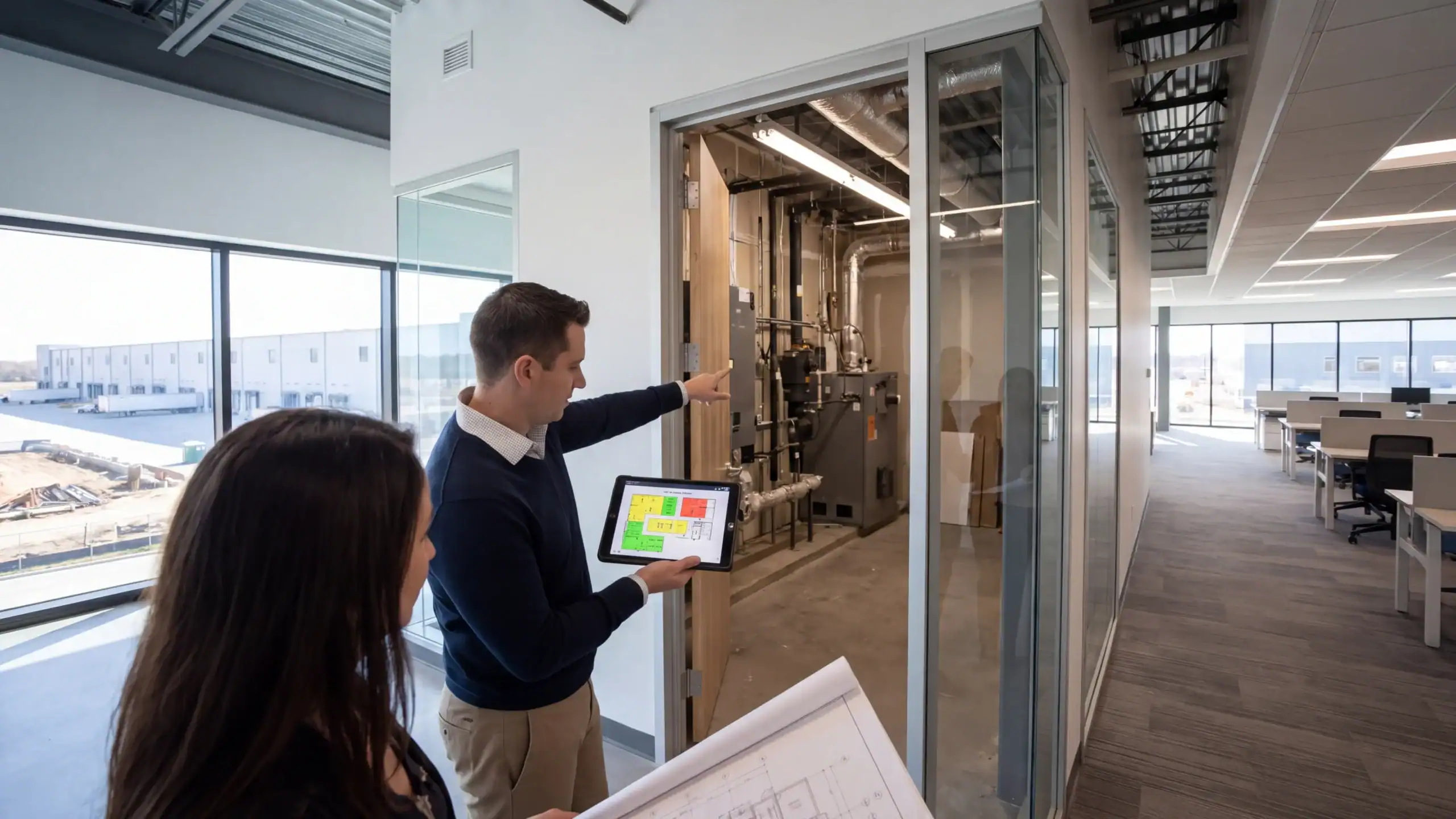
Your listed building size and the area you need scanned are often different numbers. Mechanical rooms, storage closets, roof areas, and vacant suites may not need capture.
Walk the property, or review a floor plan, and mark three things:
- Areas that must be scanned.
- Areas that are nice to have.
- Areas to leave out.
Send this list with your request. It keeps your matterport tour focused on spaces that serve your goal, and it stops you from paying for rooms nobody will view.
Account for Multiple Floors, Enclosed Rooms, and Complex Layouts
Every extra floor adds scan points, stair connections, and processing time. Enclosed rooms each need their own scans, plus scans in doorways to tie the model together.
Spaces packed with furniture, racks, or merchandise also need more positions so the camera can see around objects. Glass walls, mirrors, and shiny floors can need extra care during capture.
Tell your provider the number of floors and describe the layout honestly. A note such as “three floors, private offices along the outside, open center” helps produce an accurate estimate.
Clarify Outdoor Areas, Occupied Spaces, and Repeat Capture Needs
Outdoor areas such as courtyards, parking, patios, and loading docks add capture time. Say up front if you want them included.
Occupied spaces bring their own limits. Staff, guests, or tenants moving through the space can slow scanning or push work to after hours.
Repeat capture is common in construction and facilities work. If you need scans at several project stages, ask for pricing on each visit in advance. A schedule of planned scans is easier to budget than a series of one-off orders.
Which Deliverables Are Included, and Which Need Separate Pricing?
Most commercial quotes include the interactive tour, while technical files like point clouds and CAD or BIM models are priced separately. Always confirm in writing which files come with your scan.
Confirm the Interactive Walkthrough, Dollhouse View, and Sharing Options
The core 3D virtual tour lets viewers move room to room online. It also includes the dollhouse view, which shows the full 3D model from outside so people can grasp the layout fast.
Ask your provider what sharing options come with the tour:
- A shareable link
- Embed code for your website or listing page
- Use in email campaigns and presentations
- Branding or tag options inside the tour
These help you use the tour in leasing packages, internal reviews, and marketing.
Specify Floor Plans, Marketing Assets, and Custom Presentation Needs
Floor plans are one of the most requested add-ons for commercial property. They support leasing, space planning, and portfolio marketing.
Other assets that can affect price include still images pulled from the scan, guided tour paths, information tags, and virtual staging. List each one you need in your request.
If you have a custom presentation in mind, such as a showcase for a hotel or museum, describe how viewers will use it. That helps the provider scope the editing time.
Distinguish the MatterPak Bundle From an E57 Point Cloud Export
These two exports serve different buyers, and they are often confused.
The MatterPak bundle is Matterport’s standard data package. It includes a colorized point cloud (.xyz), a textured 3D mesh (.obj), a reflected ceiling plan image, and a floor plan image. It works well for space planning and visual reference.
An E57 point cloud export is a denser, vendor-neutral file built on the ASTM E2807 standard. Architects and engineers bring it into tools like Revit, AutoCAD, and ReCap for design work.
If your team plans to model existing conditions, ask for the E57. If you need visuals and rough planning data, the MatterPak may be enough.
Define Accuracy Requirements Before Requesting CAD or BIM Deliverables
A Matterport walkthrough is a different product from a BIM model. CAD and BIM files need separate drafting, modeling, and quality checks, so they add cost and time.
Before you order, confirm with your architect or engineer:
- What file formats they need (.dwg, .rvt, IFC)
- What level of detail the model must show
- How accurate the measurements must be
Matterport data works well for reference models and renovation planning. Projects that need very tight tolerances, such as structural verification or surveys, may call for traditional 3D laser scanning and a licensed surveyor. Settle this before scanning so you order the right capture the first time.
How Do Hosting and Account Terms Affect Long-Term Spending?
Hosting is the recurring line that keeps a tour live, so it can add up past the first year. Ask how hosting is billed before you approve any quote.
Ask How Long Hosting Is Included and What Renewal Costs Apply
Matterport tours live on Matterport’s cloud. Without active hosting, the tour cannot be viewed in its interactive form.
Some providers include hosting for a set period. Others have you set up a Matterport subscription. If you plan to host the tour yourself, check Matterport’s current plans and confirm the number of active spaces you need.
Plans also renew unless canceled. Note the renewal date and the cost after any included period ends.
Clarify Account Ownership, Transfers, Archiving, and Reactivation
Find out whose account holds your model. If the provider hosts it, ask whether you can transfer it to your own account later.
Ask these questions in writing:
- Can the model move to our account, and is there a fee?
- What happens if hosting lapses?
- Can an archived tour be reactivated, and at what cost?
- Which files can we download and keep?
The interactive tour stays tied to Matterport’s platform. Exports like floor plans, E57 files, and images keep their value after hosting stops, so plan exports if you need a long-term record.
Confirm Hosting Arrangements for Portfolios and Spaces Over 20,000 Square Feet
Large spaces and portfolios need their own hosting plan. Immersive 3D Virtual Tours applies additional charges for hosting spaces over 20,000 square feet.
If you manage many properties, decide which tours must stay live and which can be archived. A leasing tour may only need hosting while a suite is on the market. A facilities model, like the work covered in Matterport for library facilities management, may need to stay online for years.
Matterport lets you choose monthly plans you can downgrade or cancel at the end of the term, or annual billing. Match the term to how long each tour must stay live.
What Site Logistics and Procurement Requirements Can Change the Scope?
Site access, travel, and vendor paperwork can add time and cost that a square-foot estimate misses. Raise them early so they appear in the first quote.
Plan Access Windows, Escorts, Occupancy, and Site Readiness
Scanning goes fastest in a clean, empty, well-lit space. Before the visit:
- Set an access window long enough for the full scan.
- Arrange keys, badges, or an escort for secure areas.
- Clear clutter, open doors, and turn on all lights.
- Schedule around tenants, guests, or crews where possible.
If a space is not ready, the technician may need a second visit. Restricted sites or after-hours work can also carry extra fees.
Confirm Travel and Scheduling Requirements Across Northern California
Immersive 3D Virtual Tours serves Sacramento and Northern California, including the Bay Area. Projects have included downtown Sacramento, San Francisco, and Napa Valley.
Distance from Sacramento affects mobilization cost. Share the full address, plus any parking or loading limits. If you have several sites, ask about scanning them in one trip to lower per-site travel.
Rush timing and fixed dates also shape the price. Give as much lead time as you can.
Identify Vendor Onboarding, Insurance Documentation, and Purchase Order Needs
Large companies, schools, and public agencies often require vendor setup before work starts. Tell your provider what you need:
- Vendor registration forms
- Certificates of insurance with named additional insureds
- Safety rules or site training for construction sites
- A purchase order number on the invoice
These steps take admin time. Naming them early keeps them from delaying your scan date.
Agree on Acceptance Criteria, Scope Changes, and Rescan Responsibilities
Write down what a finished project looks like. List the areas included, the files due, and the delivery date.
Then agree on what happens when things change. Who pays if a room was locked on scan day? What if the client adds a floor after capture? Who covers a rescan after a renovation?
Clear terms protect both sides. They also make your matterport cost easier to forecast for the next phase.
How Should Buyers Compare Providers and Other Capture Options?
Compare providers line by line on the same files, hosting period, and site terms. A low price that leaves out hosting or floor plans often costs more over time.
Compare Itemized Quotes Against the Same Deliverables and Hosting Period
Ask every provider to price the same scope. Use your budget worksheet as the request.
Check each quote for:
- Square footage and areas included
- Floor plans, MatterPak, E57, or CAD/BIM files
- Months of hosting and renewal cost
- Travel, rush, and after-hours fees
- Turnaround time
Line these up side by side. Gaps show up fast when every quote answers the same questions.
Assess Pro3 LiDAR Capture Against the Requirements of the Space
The Matterport Pro3 camera uses LiDAR to capture spatial data and measurements. It handles large commercial interiors well and works outdoors, where older models struggle.
The Matterport Pro 2 uses an infrared depth sensor. It still produces good indoor tours, but bright sunlight limits it. For construction sites, large venues, and spaces with outdoor areas, Pro3 capture is the stronger fit.
Ask which camera a provider uses and why it suits your space.
Evaluate Equipment Ownership Without Overlooking Staffing and Platform Costs
Some teams think about buying a Matterport camera, such as a Pro3 Plus package, and scanning in-house. The matterport camera cost is only one part.
You also pay for staff time, training, a subscription for active spaces, and add-on files. Someone must plan each scan, process models, and fix errors. For teams with steady, high volume, ownership can make sense. For occasional commercial projects, a certified provider spreads those costs across many clients.
Consider Alternative Platforms Only When They Meet the Same Business Need
Other tools exist for virtual tours. iGUIDE, Kuula, CloudPano, 3DVista, and Zillow 3D Home each serve different uses. Many work with third-party 360 cameras like Insta360.
Before choosing one of these Matterport alternatives, check it against your real needs. Ask whether it delivers the measurements, file formats, and hosting your team requires. For commercial documentation, confirm accuracy and export options in writing.
What Can You Expect From Immersive 3D Virtual Tours?
Immersive 3D Virtual Tours is based in Sacramento and serves commercial clients across California. For the capture scope, booking terms, and examples, see our commercial Matterport scanning service. If you need CAD drawings or a BIM model, Matterport produces and prices those optional files separately by square footage.
Commercial Pro3 LiDAR Scanning in Sacramento and Northern California
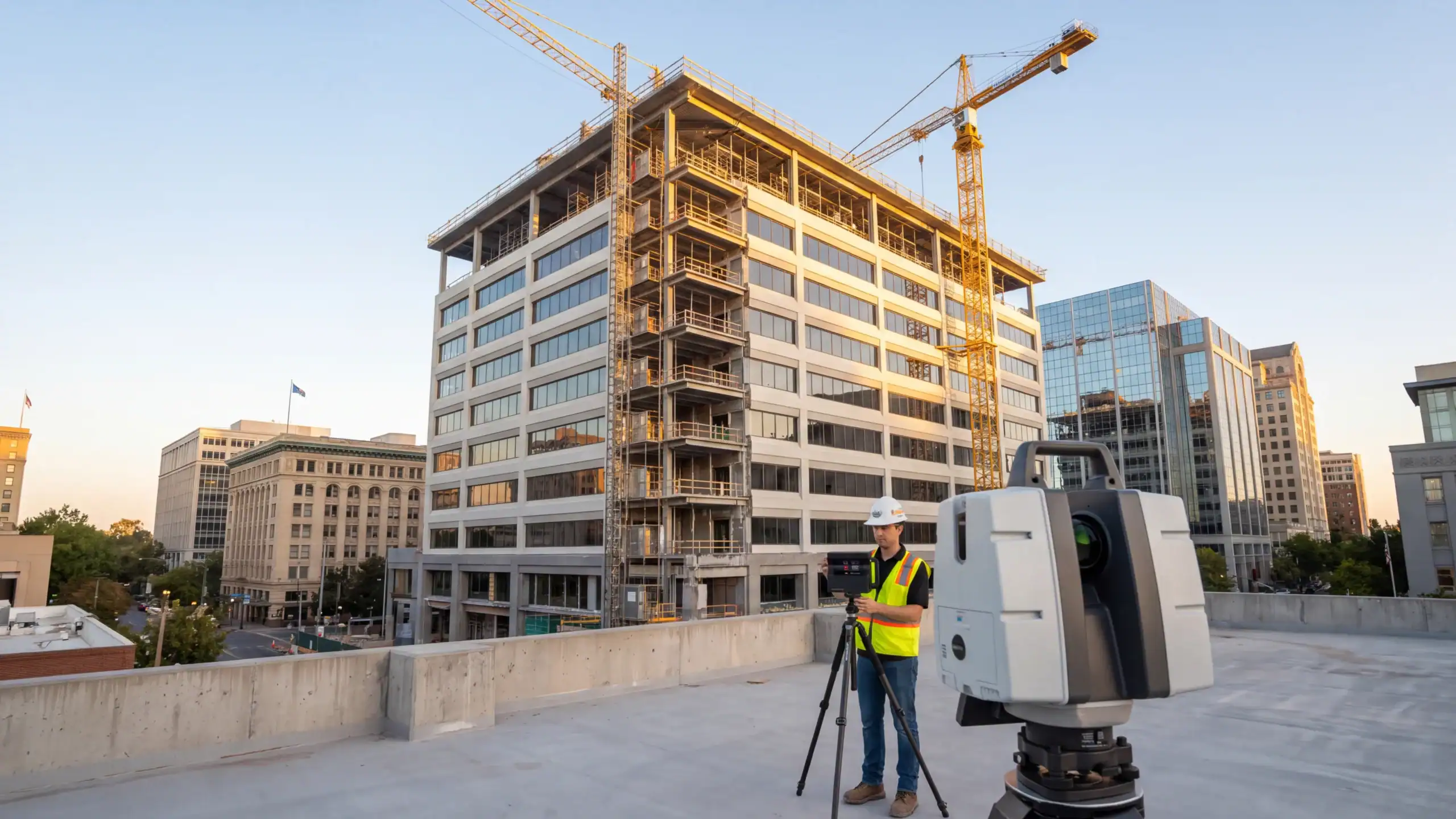
The team uses the Matterport Pro3 camera and LiDAR scanning for detailed capture and precise measurements. Immersive 3D Virtual Tours is a Matterport Service Partner, and its photographers are certified Matterport photographers.
Services cover commercial Matterport 3D scanning for office buildings, retail, hotels, construction sites, and facilities. Referenced projects include a construction model in Sacramento, the Tsakopoulos Library Galleria at the Sacramento Central Library, and The Monarch Hotel renovation in San Francisco.
How Capture, Processing, and Delivery Fit Your Project Schedule
The process has four steps: capture, process, deliver, and impress.
| Stage | Typical time |
|---|---|
| On-site scanning | 2–4 hours |
| Processing | About 6 hours |
| Finished tour delivery | Within 12–24 hours |
Corporate real estate work averages a 12-hour turnaround. That speed helps when a listing, a design review, or a board meeting is on a fixed date.
What to Send for a Project-Specific Commercial Quote
Pricing is based on the scanned model’s square footage and whether the project is commercial or residential. To get an accurate quote, send:
- Property address
- Scannable square footage and number of floors
- A short layout description
- Areas to include or exclude, including outdoor spaces
- Deliverables needed (tour, floor plans, MatterPak, E57, CAD/BIM)
- How long the tour must stay hosted
- Access limits, occupancy, and preferred dates
- Vendor, insurance, or purchase order needs
With this, the team can align the model with your goals and price it accurately.
Start With a Clear Scope for a More Reliable Budget
The most reliable Matterport pricing comes from a scope you define before you ask for bids. Square footage starts the number. Floors, layout, deliverables, hosting, travel, and site rules finish it.
Build your worksheet, mark the areas to scan, and list every file your team needs. Decide how long the tour must stay live and who will own the account. Then send the same scope to each provider and compare itemized quotes line by line.
For a commercial project in California, send that scope to Immersive 3D Virtual Tours for a project-specific quote.
Frequently Asked Questions
Why can two commercial spaces with the same square footage receive different quotes?
Layout, floors, and deliverables change the effort behind the scan. A partitioned office needs more scan points than an open warehouse, and adding E57 or CAD files adds processing. Travel, access limits, and hosting length also shift the total.
Do I need my own Matterport subscription when hiring a scanning provider?
Not always, since many providers host the tour on their account for a set period. Ask how long hosting lasts, what renewal costs, and whether the model can move to your own matterport subscription later. Get these terms in writing.
Are floor plans and E57 exports included in a commercial scan?
They are often priced separately, so check each quote. The interactive tour is the core product, while floor plans, MatterPak files, and E57 point cloud exports add processing. List every file you need in your request.
Can I keep a Matterport tour online without ongoing hosting?
No, the interactive tour needs active Matterport hosting to stay viewable. If hosting stops, the tour is archived and can usually be reactivated later. Exported files like floor plans and E57 data stay usable on your own systems.
Is a cheaper alternative to Matterport suitable for commercial property documentation?
It can be, if it meets your accuracy, file format, and hosting needs. Matterport alternatives vary widely in measurement tools and exports. Confirm those details in writing before choosing a platform for commercial documentation.